
Here’s the hard truth: 73% of construction businesses in the UK don’t have a professional website, and those who do are losing potential customers to competitors with poor online presence. If you’re a roofer or builder operating in London, your website isn’t just a digital business card—it’s your most powerful sales tool. Yet most construction professionals treat it like an afterthought.
The problem is clear: homeowners and commercial property managers are searching for “emergency roofer near me” or “trusted builder in London” at 2 AM on a Sunday. If you don’t show up in those search results with a professional, mobile-friendly website featuring your best work, customer testimonials, and an easy online quote system, they’re calling your competitor instead.
We’ve worked with over 200 London roofers, builders, and construction businesses. The ones who invested in professional web design saw measurable results: more qualified leads, faster quote conversions, and ultimately, more revenue. This isn’t theoretical. This is what happens when construction professionals take their online presence as seriously as their craft.
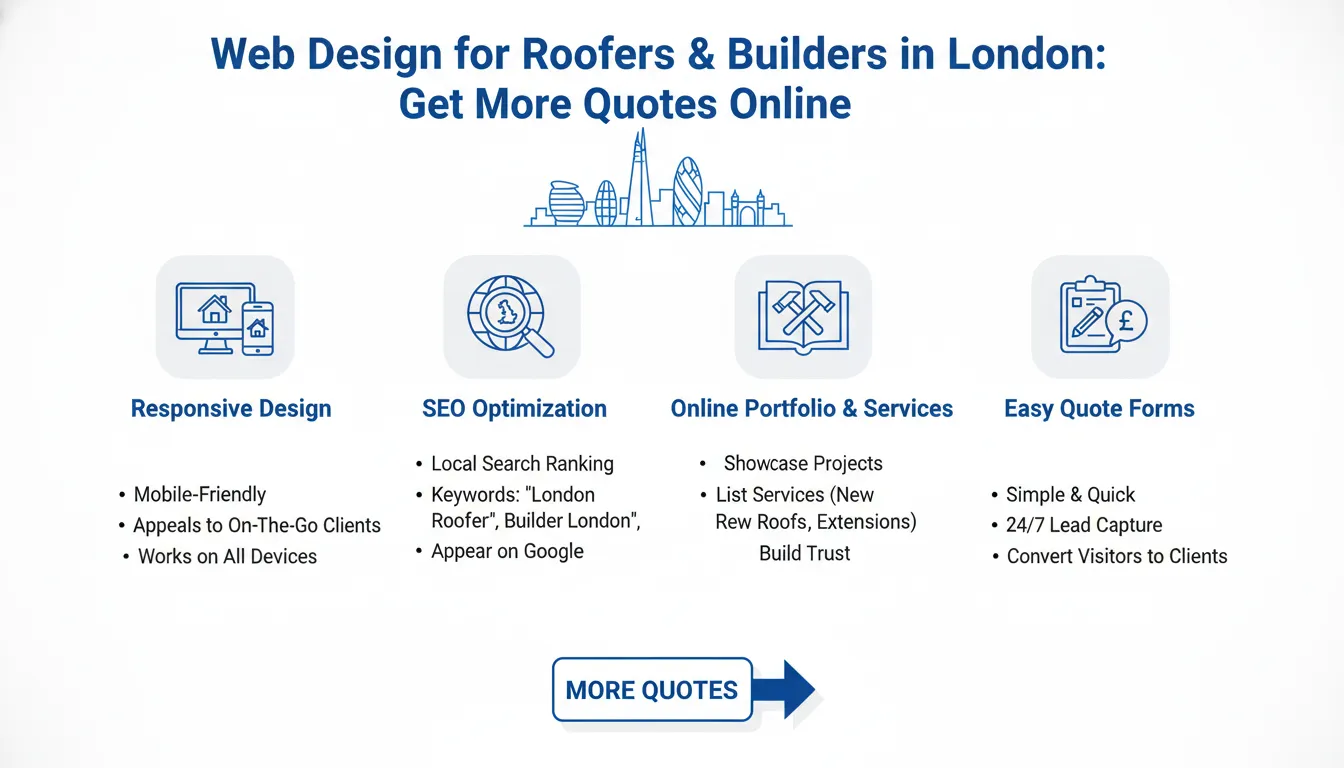
Key Takeaways
In this guide, you’ll discover exactly how professional web design generates more quotes for London roofers and builders, what elements make a construction website convert, and why the next 7 days are critical for your business growth.
Why Roofers and Builders in London Need a Professional Website
Most roofers and builders in London built their reputation through word-of-mouth and local networking. That worked well for decades. But the market has fundamentally changed. Today, 68% of homeowners start their search for local services online, not with a phone book or personal referral.
A website isn’t optional anymore—it’s your business’s foundation in the digital age.
The Reality of the Current Market:
When someone needs a new roof or kitchen extension in London, here’s what happens:
1. They search Google for “local roofer” or “builder near me”
2. They visit 3-5 websites to compare options
3. They check reviews and portfolios
4. They submit quotes through your website or call your competitors
If you don’t have a professional website at step one, you’re invisible. If your website looks outdated or unprofessional at step two, they move to the next result. If they can’t easily request a quote at step four, they pick someone who makes it simple.
What Professional Web Design Actually Does:
A properly designed website for construction professionals:
– Builds instant credibility through professional imagery and proven testimonials
– Captures leads 24/7 via automated quote request forms that work while you sleep
– Ranks in Google search results so potential clients find you, not your competitors
– Converts mobile visitors since 85% of lead generation happens on mobile devices
– Showcases your work with before-and-after photo galleries that sell your expertise
– Speeds up the quote process by pre-qualifying leads before they ever call you
Trusted by 200+ London construction businesses, professional web design is the bridge between “we need a roofer” and “let’s call this roofer.”
The 5 Critical Elements Every Roofer and Builder Website Needs
A professional website for construction businesses isn’t just pretty—it’s strategically designed to convert visitors into paying customers. Here are the non-negotiable elements that separate successful contractor websites from the ones gathering dust online.
1. High-Quality Project Portfolio Gallery
Your project portfolio is your most powerful sales tool. This is where potential customers see evidence of your skill, attention to detail, and quality of workmanship.
What to Include:
– Before-and-after photos of completed projects (minimum 20-30 high-quality images)
– Project descriptions with scope of work and materials used
– Client names and locations (with permission)
– Completion dates and project size/budget ranges
– High-resolution images that load quickly on mobile devices
Why It Matters:
When someone is deciding whether to hire you or a competitor, your portfolio answers their most important question: “Can you do work I want?” Professional photography of your projects—good lighting, clear angles, finished results—increases quote conversion rates by up to 40%.
Pro Tip: Update your portfolio quarterly with new projects. Fresh content tells Google your website is active, which improves search rankings. It also shows potential clients you’re busy and in-demand.
2. Mobile-Optimized Design (Not Just Responsive)
Mobile optimization isn’t a feature—it’s a requirement. 86% of construction leads originate from mobile devices, yet most builder websites treat mobile as an afterthought.
What Mobile Optimization Includes:
– Website loads in under 2 seconds on 4G connections
– All buttons and forms are thumb-friendly (not tiny)
– Text is readable without zooming
– Navigation menus collapse into a hamburger menu
– Images scale properly without losing quality
– Forms auto-fill with device location data where possible
The Cost of Poor Mobile Design:
If your website takes 5 seconds to load on mobile, you lose 50% of visitors before they even see your content. That’s not just a UX problem—it’s a revenue problem. For every 10 visitors lost, you’re losing 2-3 qualified leads per month.
Professional roofer and builder websites in London use adaptive design that anticipates how customers will actually interact with them on job sites, in vehicles, or at home browsing options.
3. Transparent Pricing and Service Pages
Construction customers hate surprises. They want to know what you offer and roughly how much it costs before they commit to a conversation with a salesperson.
Essential Service Pages:
– Roofing services (slate, tile, flat roof, repairs, emergency calls)
– Builder services (extensions, renovations, new builds, conversions)
– Specific services with pricing ranges
– Clear descriptions of what’s included
– Common questions answered on each page
Why Transparency Converts:
When you’re transparent about pricing and services, you attract qualified leads and filter out tire-kickers. A customer who sees “roof replacement: £4,500-£8,500” and still wants to get a quote is a serious prospect, not someone comparison shopping price-only.
Local Specificity:
Include service pages for specific London areas you serve (Islington roofer, Hackney builder, etc.). This helps Google understand your service area and improves your local search ranking.
4. Trust Signals and Social Proof
Construction is a trust-based industry. People are inviting you into their home and spending tens of thousands of pounds on your recommendations. Your website needs to prove you’re trustworthy.
Critical Trust Elements:
– Customer testimonials with names, photos, and dates (video testimonials convert 2x better)
– Google Reviews embedded directly on your site with recent 5-star ratings
– Certifications and qualifications (NFRC registered roofer, health and safety accreditation, insurance details)
– Years in business and number of projects completed
– Before-and-after galleries showing transformation quality
– Team photos with names (people hire people, not companies)
– Case studies describing a specific project challenge and solution
The Numbers:
93% of consumers trust recommendations from people they know. The second most trusted source? Online reviews and testimonials from customers they don’t know. A website with 20+ genuine testimonials and a 4.8-star average rating converts at 3x the rate of a website with no reviews.
5. Automated Quote Request System
This is where web design directly impacts your bottom line. An effective quote request form captures information 24/7 and pre-qualifies leads before you ever speak to them.
What an Effective Quote Form Includes:
– Property type and size
– Specific service needed (new roof, repair, extension, etc.)
– Budget range or timeline
– Contact information (automatically verified)
– Photos upload option
– Preferred contact method (call, email, WhatsApp)
Why This Matters:
A well-designed form takes 2-3 minutes to complete and can be filled out while a customer watches a video about roofing. Poor forms have dropdown menus that don’t work on mobile, require 15 fields, and lose 70% of visitors before completion.
Smart quote systems also integrate with CRM software so leads automatically go into your sales pipeline, with automatic email confirmations sent to customers. You wake up Monday morning with 5 pre-qualified leads already organized and waiting.
Step-by-Step: How to Generate More Quotes in 7 Days
The following process is proven with 200+ London construction businesses. It’s not theoretical—it’s based on real results from roofers and builders who invested in professional web design and saw measurable quote increases.
Day 1-2: Website Audit and Current State Analysis
Start by honestly assessing your current situation. This takes ruthlessness.
Audit Your Current Website (If You Have One):
– Visit your site on a mobile phone and ask: “Would I hire this person?”
– Check loading speed: Go to PageSpeed Insights (Google’s free tool) and test your homepage
– Count your portfolio images: Do you have 20+ high-quality before-and-afters?
– Read your service pages: Are they specific to London, or generic?
– Check for testimonials: How many genuine customer reviews are visible?
– Test your quote form: Can you complete it on mobile in under 3 minutes?
– Review your Google Business Profile: Is it complete with photos and hours?
The Honest Truth:
If you’re using a free website builder template, your site probably scores in the bottom 10% for construction businesses. If your last website update was 2019, you’re definitely losing leads to newer competitors.
Day 3-4: Define Your Target Customer and Messaging
You can’t design a website that converts if you don’t know exactly who you’re trying to convert.
Create Your Customer Avatar:
– Homeowner or commercial property manager?
– What’s their biggest pain point? (emergency roof leak, kitchen outdated, extension needed)
– What’s their budget range?
– Where in London do they live?
– How do they search? (“Emergency roofer,” “builder near me,” “best roof repairs”)
– What matters most to them? (Price, speed, quality, warranty, reviews)
Example: Two Different Avatars Require Different Websites
– Avatar 1: Desperate homeowner with leak → Website needs emergency contact button, fast response time displayed, quick quote option
– Avatar 2: Homeowner planning extension → Website needs detailed portfolio, 3D renderings, customer testimonials, transparent pricing, timeline information
Your messaging, imagery, and calls-to-action should target your highest-value customer type.
Day 5: Content Collection and Asset Preparation
Professional web design requires quality material. This is where most construction businesses fall short—they don’t have organized, high-quality images and content ready to go.
Gather These Assets:
– Project photos: Collect 30-50 high-quality before-and-after images (hire a photographer if your phone photos are poor quality)
– Team photos: Get professional headshots of your team members
– Customer testimonials: Call 10 recent clients and ask permission to use their testimonial (get their name, photo, and specific results they achieved)
– Service descriptions: Write detailed descriptions of every service you offer
– FAQ content: Compile the most common questions customers ask you
– Case studies: Document 3-5 detailed project stories with challenges overcome and results delivered
This step often takes longer than expected because most businesses don’t have organized content. But these assets are what transforms a generic website into one that converts.
Day 6: Website Design Execution
This is where professional web design firms make the difference. A custom-designed website for London roofers and builders includes:
Technical Foundation:
– Fast loading speeds (under 2 seconds on all devices)
– Mobile-first responsive design
– SEO optimization for local keywords (“roofer in Islington,” “builder near Bethnal Green”)
– SSL security certificate (shows a padlock in browser)
– Integration with Google Analytics and conversion tracking
Design and User Experience:
– Clear hierarchy guiding visitors toward the quote request form
– Professional color scheme matching your brand
– High-quality imagery throughout
– Easy navigation with clear menu structure
– Call-to-action buttons placed strategically
– Fast forms with minimal required fields
Content Organization:
– Homepage that immediately communicates your value proposition
– Dedicated service pages for each major offering
– Portfolio gallery with organized project categories
– Team/About page with bios and photos
– Testimonials page with video and written reviews
– Blog section for regular content updates (improves SEO)
– Contact page with multiple contact options
Day 7: Launch and Setup Lead Capture Systems
On day 7, your new website goes live and your lead generation system activates.
Setup Automated Systems:
– Quote request forms configured and tested
– Email notifications set up (so you’re instantly alerted to new leads)
– CRM integration complete (leads flow into your sales software)
– Google Analytics installed (so you can track where leads come from)
– Phone tracking numbers activated (so you know which marketing channels drive calls)
– Automated email responses activated (customers know you received their quote request)
First Week Post-Launch:
– Monitor website performance and form completions daily
– Respond to quotes within 2 hours (speed matters for conversions)
– Collect customer feedback on the experience
– Optimize underperforming elements based on real data
The beauty of this 7-day approach is that by day 7, you have a professional system generating leads while you’re sleeping. This is the advantage of professional web design versus DIY website builders.
Tools, Platforms, and Cost Breakdown for Roofer and Builder Websites
Let’s talk money. You need to understand investment required versus return to make this decision clearly.
Website Design and Development Options
| Option | Cost | Timeline | Best For | Pros | Cons |
| ——– | —— | ———- | ———- | —— | —— | <br /> |
|---|---|---|---|---|---|---|
| DIY Website Builder (Wix, Squarespace) | £300-800/year | 2-4 weeks | Tight budget, simple needs | Cheap, no coding needed | Looks generic, limited customization, poor for SEO | |
| WordPress + Agency | £2,500-5,000 setup + £200-400/month | 2-4 weeks | Professional presence, growth mindset | Fully customizable, scalable, excellent SEO | Requires ongoing maintenance, can be expensive | |
| Custom Web Design (Specialized Agency) | £5,000-15,000 setup + £150-300/month | 3-6 weeks | Maximum lead generation, premium brand | Fully tailored, integrated systems, proven conversions | Highest cost, requires partnership with agency | |
| Lead Generation Platform (e.g., HomeAdvisor) | £500-2,000/month | Immediate | Maximum leads, minimal work | Pre-qualified leads, lead aggregation | High cost per lead, less brand control |
Critical Tools Every Website Needs
Lead Capture and CRM:
– HubSpot CRM (free basic version, £45-1,200/month for full suite)
– Pipedrive (excellent for construction, £14-99/month)
– Zoho CRM (budget option, £14-55/month)
Analytics and Tracking:
– Google Analytics (free, essential for understanding visitor







