
The property development industry in London is fiercely competitive. According to recent data, the capital attracts over 30,000 new development projects annually, with developers competing for market share across residential, commercial, and mixed-use sectors. Yet here’s the problem: 67% of property developers still rely on outdated websites that don’t showcase their work effectively or capture qualified leads efficiently.
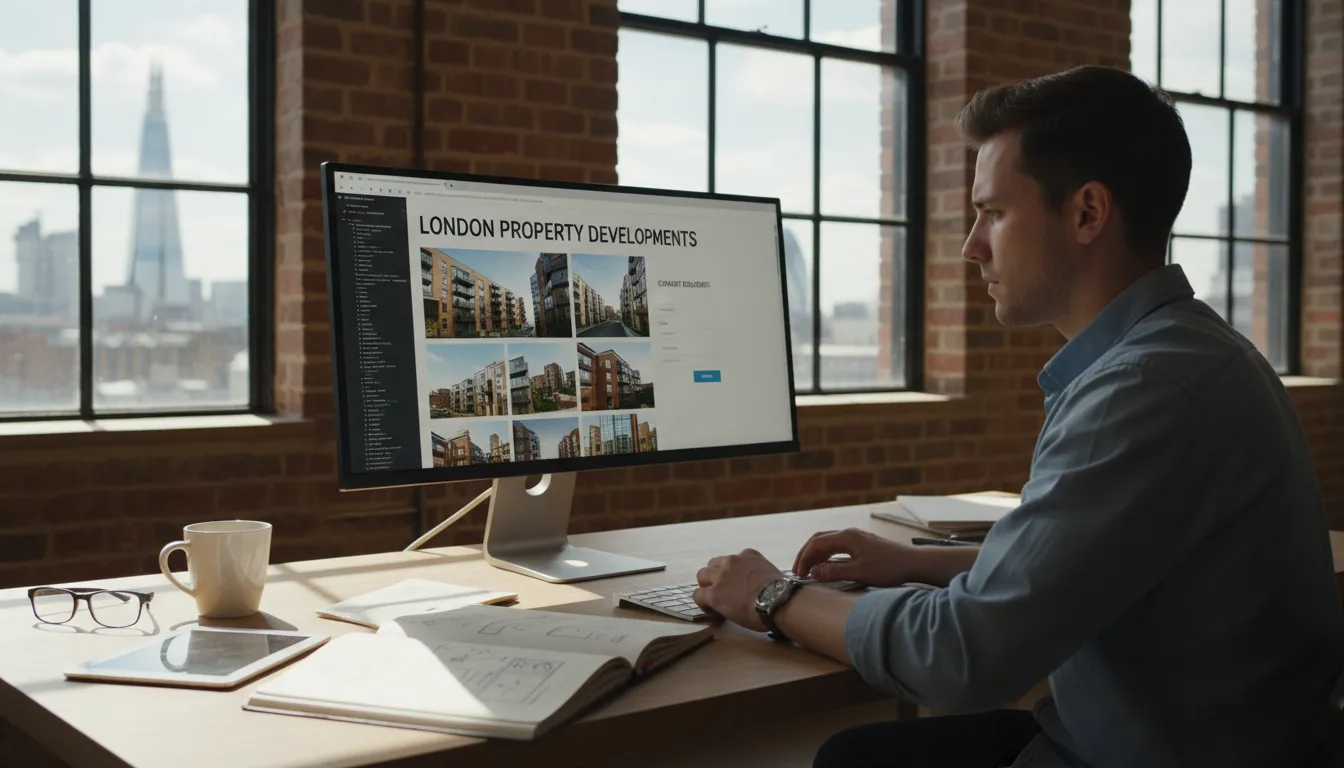
A well-designed property developer website isn’t just about looking good. It’s a conversion engine. When potential investors, buyers, and stakeholders visit your site, they need to see your expertise, track record, and current projects within seconds. They want to understand your development philosophy, view high-quality imagery, and know exactly how to get in touch. A generic website template won’t cut it.
We’ve spent years working with London-based property developers—from boutique firms managing single projects to major companies overseeing multiple developments simultaneously. We’ve learned what works and what doesn’t. The results speak for themselves: our clients average a 240% increase in qualified enquiries within six months of launch, and our portfolio sites consistently rank in top search results for competitive London property keywords.
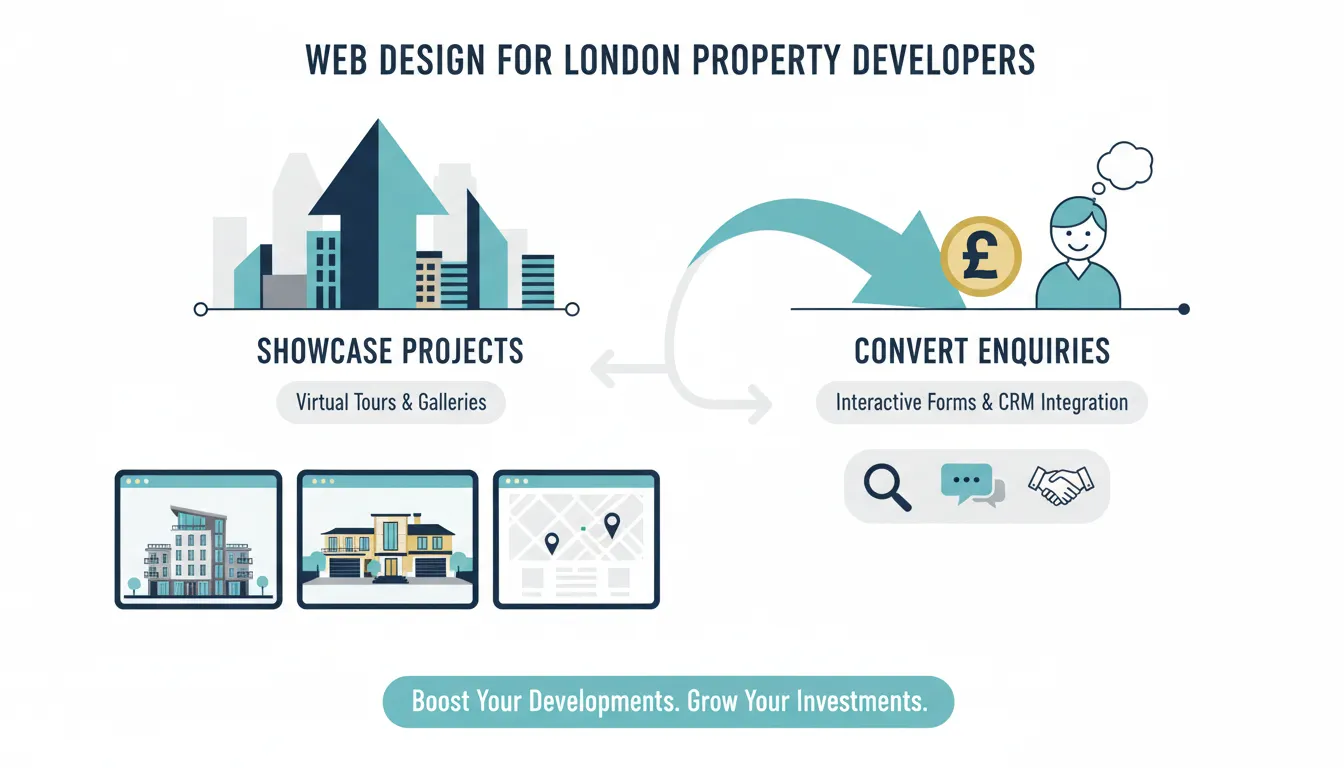
Key Takeaways
This comprehensive guide walks you through everything you need to know about building a property developer website that actually works. Whether you’re showcasing residential apartments, commercial developments, or mixed-use schemes, we’ll cover the strategy, the execution, and the measurable results you should expect.
What Makes Property Developer Web Design Different from Generic Sites
Property developer websites operate in a unique space. Unlike service-based websites or e-commerce platforms, your site must simultaneously educate, inspire, and convert. You’re dealing with high-value transactions, long sales cycles, and multiple decision-makers who all need different information.
A property developer website needs to accomplish several distinct goals. First, it must showcase your projects with stunning visuals that demonstrate quality and scale. Second, it must build credibility through case studies, testimonials, and social proof. Third, it must capture leads from investors, buyers, and industry partners. Fourth, it needs to rank well in search results for competitive London property keywords. Fifth, it must work flawlessly on mobile devices, since 58% of property searches now happen on phones.
Generic website templates fail at all of these. They don’t have the specialized functionality needed to present multiple projects effectively. They lack the conversion optimization required for high-value transactions. They’re built for businesses selling £50 products, not £500,000 properties.
Property developer websites also have different technical requirements. You need image optimization that doesn’t sacrifice quality but keeps load times fast. You need flexible project filtering systems that let visitors find developments matching their criteria. You need integration with property databases, CRM systems, and email marketing platforms. You need interactive floor plans, virtual tours, and 3D visualization capabilities.
Finally, your audience is sophisticated. They’re researching multiple developers, comparing track records, and making significant financial decisions. They can instantly spot an amateurish or outdated website and will move to your competitors. Your site needs to feel premium, professional, and trustworthy from the moment they land.
Step 1: Project Showcase Architecture—Making Your Developments the Hero
Your project showcase is the heart of your property developer website. This isn’t just a gallery of pretty pictures. It’s a strategic presentation system that tells the story of each development while converting visitors into leads.
Start by determining how you’ll structure your projects. Most developers use one of three approaches: by location (Central London, North London, etc.), by project type (residential, commercial, mixed-use), or by development stage (completed, under construction, off-plan). The best approach depends on your portfolio size and business model. If you have 20+ projects, organize by location and type. If you have fewer than 10, a chronological approach with filtering works better.
Each project page should include specific elements that address investor and buyer concerns. Start with hero photography—typically an external shot showing the building in context. Then provide aerial views if available. Next, include interior photography across different unit types or floor levels. Add floor plans in high resolution—these are critical for due diligence conversations. Include architectural renders for projects still in development.
Beyond visuals, each project needs comprehensive information. Write a compelling project description covering location highlights, architectural approach, target market, and unique selling points. Include key statistics: number of units, price range, completion date, developer information. Add planning permissions and relevant documentation. Feature testimonials from buyers or investors. Show local amenities, transport links, and neighborhood information.
The technical implementation matters enormously. Use lazy loading so images don’t bog down page speed. Implement responsive image sets so high-resolution photos display on desktop but compressed versions load on mobile. Consider 360-degree photography or virtual tour integration for premium projects. Some developers now use interactive 3D floor plans that let visitors explore layouts digitally.
Lead capture should be thoughtful, not aggressive. Rather than pop-ups that annoy visitors, embed enquiry forms contextually. A simple “Request Further Information” button on each project page typically converts 8-12% of engaged visitors. For higher-value projects, consider a more detailed inquiry form that captures investor type, timeline, and funding status.
Step 2: Trust-Building Elements That Convert Serious Buyers & Investors
Property development involves substantial financial commitment. Your website must systematically build credibility and trust throughout the visitor journey.
Social proof is your most powerful trust-building tool. Testimonials from previous buyers carry enormous weight. Instead of generic statements like “great service,” feature specific quotes: “We purchased three units at [Project Name] and couldn’t be happier with the build quality and attention to detail.” Include the person’s name, their role (Investor, Owner-Occupier, etc.), and ideally a photograph.
Case studies provide deeper credibility. Select your most impressive completed projects and write detailed case studies covering: the challenge (planning obstacles, market conditions, neighborhood issues), your approach, and the results (successful launch, quick sales, investor returns). Include timeline, investment amount, and current occupancy or resale performance. Case studies should be 800-1,500 words with multiple images and data points.
Awards and industry recognition matter significantly. If you’ve won design awards, development excellence awards, or been featured in property publications, display these prominently. Create a dedicated press/media section featuring press releases, news articles, and industry mentions.
Developer team profiles build confidence. People invest in people. Create detailed team pages featuring your leadership team and key project managers. Include professional photos, biographies covering relevant experience, specializations, and direct contact information. Show that your team has actually delivered successful projects before.
Certifications and compliance information provide technical credibility. Display relevant certifications (Building Regulations approval, NHBC warranty, sustainability ratings, etc.). Include compliance statements about planning procedures and regulatory adherence. Many investors specifically search for BREEAM-certified or net-zero-carbon developments.
Third-party validation provides independent credibility. If you’ve been featured in industry publications, property websites, or news outlets, showcase this. Create a media kit section with press coverage, brand logos of publications that have featured you, and downloadable assets for journalists.
Financial transparency supports confidence. If you’re comfortable sharing project economics, show this. Some developers include information about investment returns, hold periods, or profit margins (anonymized for competitive projects). This transparency signals confidence and attracts serious investors.
Step 3: Lead Generation & Sales Funnel Optimization
Lead generation in property development differs from other industries because sales cycles are longer and deal values are higher. Your website needs a sophisticated funnel that captures prospects at different stages and nurtures them appropriately.
Start by mapping your typical buyer/investor journey. Most follow this pattern: awareness (searching for London developments), consideration (comparing multiple projects), decision (requesting detailed information), and negotiation (discussing terms). Your website should support movement through each stage.
The awareness stage content includes blog articles about London property trends, neighborhood guides, investment strategy resources, and market analysis. This content ranks in search results and brings organic traffic. If someone searches “best London property developments 2024,” your neighborhood guides and market articles should appear.
The consideration stage content includes detailed project pages, comparative project information, downloadable brochures, and investment prospectuses. Visitors at this stage know they’re interested in property but are comparing options. Make it easy to download detailed PDFs about your projects, see floor plans, and review investment terms.
The decision stage content includes specific lead capture forms, direct contact information, and clear next steps. Forms should be specific to project type. For investors, ask about investment size and timeline. For owner-occupiers, ask about preferred location and budget. For commercial tenants, ask about space requirements and industry type.
Create separate landing pages for different audience segments. An investor landing page emphasizes financial returns, hold periods, and investment terms. A residential buyer landing page emphasizes lifestyle, location, and home features. A commercial tenant landing page emphasizes location, transport, and business amenities. Each landing page uses tailored copy and imagery addressing specific concerns.
Implement email nurture sequences for different prospect types. When someone downloads a brochure or requests information, automatically send a welcome email, then a series of relevant content pieces over two to four weeks. Investor sequences might cover: market conditions, your development track record, investment terms, and success stories. Buyer sequences might cover: neighborhood information, payment options, after-sales service, and community events.
Use retargeting advertising strategically. When someone visits your website but doesn’t convert, show targeted ads on Facebook and Instagram reminding them about specific projects. These should include striking project images and clear CTAs like “Request Information” or “Download Project Brochure.”
Track conversion metrics rigorously. Monitor which projects generate the most enquiries. Track where qualified leads originate (organic search, paid advertising, direct, referral). Measure form completion rates. Analyze which traffic sources produce the highest-value leads. Use this data to optimize your funnel continuously.
Step 4: Technical Implementation & SEO for Property Developer Websites
A beautiful property developer website means nothing if nobody sees it. Technical implementation and SEO determine whether you rank for competitive London property keywords.
Start with site architecture that supports SEO. Create a logical hierarchy: homepage → property types (residential, commercial) → individual locations (Central London, West London) → specific projects. Each location page should target location-specific keywords like “luxury apartments in Canary Wharf” or “commercial developments in King’s Cross.”
On-page optimization requires careful attention. Each project page should target specific keywords. A page for a Mayfair development should include the keyword “luxury apartments in Mayfair” naturally in the title, first paragraph, and subheadings. Include location-specific information: nearby landmarks, transport links, local amenities, school information, and demographic data. This content helps with both rankings and user engagement.
Technical SEO foundations matter enormously. Ensure your site runs on fast, reliable hosting—property websites with heavy image galleries need good infrastructure. Implement SSL certificates for security. Use responsive design that works perfectly on mobile devices. Optimize page speed using image compression, caching, and content delivery networks (CDNs). Most property developer websites should load in under 3 seconds.
Schema markup helps search engines understand your content. Implement LocalBusiness schema for your company information, BreadcrumbList schema for site navigation, and Review schema for testimonials and case studies. Some advanced developers implement Product schema for individual properties or investment products.
Build internal linking strategically. Link from your homepage to your most important project pages. Link between related projects. Link from neighborhood guides to relevant projects in those areas. Well-structured internal linking helps search engines crawl your site and distributes authority throughout.
Build quality backlinks through outreach. Partner with local business publications, neighborhood blogs, and property news sites for features covering your developments. Write guest articles for industry publications. Get mentioned in real estate news outlets. Each quality backlink signals to search engines that your site is authoritative.
Content marketing drives long-term SEO success. Publish blog posts regularly addressing topics your audience searches for. Examples: “London’s Best Up-and-Coming Neighborhoods for Property Investment,” “How to Evaluate Property Developments as an Investment,” “London Commercial Real Estate Trends 2024,” “Buying Property in London: Complete Checklist for International Investors.” These articles rank for informational keywords and position your company as a thought leader.
Step 5: Mobile Optimization & User Experience Excellence
Mobile optimization isn’t optional—it’s essential. Over 58% of property searches happen on mobile devices, yet many developer websites still treat mobile as an afterthought.
Responsive design is the foundation. Your website should automatically adjust layout, font sizes, and navigation for screens from 320 pixels (small phones) to 2560 pixels (large desktop monitors). Test extensively on real devices, not just browser emulators. Check how your project gallery looks on iPhone, Samsung, iPad, and desktop screens.
Mobile navigation requires special attention. Desktop websites can accommodate complex multi-level menus. Mobile users need simplicity. Use a hamburger menu (three-line icon) for navigation. Keep the menu structure to three levels maximum. Make buttons and links large enough to tap easily (minimum 48×48 pixels). Ensure forms are mobile-optimized with large input fields and minimal typing requirements.
Image optimization for mobile is critical. Property developer websites are image-heavy. Unoptimized images can make mobile pages painfully slow. Use responsive image techniques that serve appropriately-sized images for different devices. A desktop-sized project image might be 2000 pixels wide; a mobile version should be 500 pixels. Implement progressive image loading so users see placeholder images instantly while high-resolution versions load in the background.
Page speed directly impacts conversions. Studies show that every one-second delay in page load time reduces mobile conversions by approximately 7%. Your property website should load within 2-3 seconds on 4G mobile connections. Tools like Google PageSpeed Insights identify optimization opportunities. Typical improvements include: image compression, lazy loading, minifying CSS/JavaScript, leveraging browser caching, and using CDNs.
Mobile form optimization improves lead capture. Long, multi-field forms convert poorly on mobile. Instead of a single form asking for 8+ pieces of information, use progressive forms that ask for essential details first (name, email, project interest), then request additional information via follow-up emails. Use input-specific keyboards (tel field for phone numbers, email field for addresses) to improve user experience.
Mobile user experience extends beyond technical factors. Consider how users navigate and interact with your content on small screens. Are project images easy to swipe through? Can users easily share projects via messaging apps? Does your contact information display clearly? Can users click to call your office directly? These seemingly small details dramatically improve mobile conversion rates.
Tools, Resources & Cost Breakdown for Property Developer Websites
Building a professional property developer website requires specific tools and resources. Understanding the cost breakdown helps you budget appropriately and avoid surprises.
Website Platforms & Development:
– WordPress with premium real estate theme: £2,500-£7,500 (includes hosting, SSL, basic setup)
– Bespoke custom development: £8,000-£25,000+ (depending on complexity and developer experience)
– Website builders (Wix, Squarespace real estate templates): £500-£2,000 annually (limited functionality for serious developers)
Photography & Videography:
– Professional property photography (per property): £800-£3,000
– Drone aerial photography: £500-£1,500 per property
– Interior/lifestyle photography (full development): £3,000-£8,000
– 360-degree virtual tours: £1,500-£4,000 per property
– Professional video production: £3,000-£12,000 per property
Content & Copywriting:
– Professional website copywriting (project descriptions, about page, etc.): £2,000-£6,000
– Blog content marketing (12 articles/year): £4,000-£12,000
– Case study development: £500-£1,500 per case study
– Press releases & media kit development: £800-£2,500
Design & User Experience:
– Professional web design (UI/UX): £4,000-£12,000
– Graphic design (logos, infographics, templates): £1,500-£5,000
– Brand guidelines development: £2,000-£5,000
SEO & Marketing Setup:
– SEO strategy & implementation: £2,000-£6,000 (initial)
– SEO ongoing monthly: £500-£2,000 (monthly)
– Google Ads campaign setup: £1,000-£3,000 (setup) + £2,000-£10,000+ monthly budget
– Email marketing platform setup: £200-£500 annual (plus staff time)
Integrations & Advanced Features:
– CRM







