
When someone loses a loved one, their immediate instinct is often to search online. In fact, recent data shows that 78% of families now research funeral directors through the internet before making contact. For funeral directors across London, this reality is both a challenge and an opportunity. Your website isn’t just a digital brochure—it’s frequently the first point of genuine human connection during the most difficult time of a family’s life. Yet many funeral homes still operate with outdated websites, missed phone calls, and lost business to competitors with stronger online presence. The problem isn’t ambition; it’s access to affordable, specialised support. That’s where professional funeral director web design in London becomes not just a marketing tool, but a compassionate necessity. Whether you’re running a boutique funeral home in Kensington, a family-owned business in South London, or a multi-location operation across the capital, you need a website that communicates professionalism, trustworthiness, and genuine care—all within reach and budget.

What Funeral Directors Need: Understanding Your Unique Web Design Requirements
Funeral director web design isn’t the same as designing a restaurant or retail website. The stakes are higher, the emotions are deeper, and families need to find specific information quickly when they’re in crisis. A professional funeral home website serves multiple critical functions simultaneously.
First, it acts as a 24/7 reception desk. Families often search for funeral directors at 2 AM on a Sunday, when your office is closed. Your website must be staffed virtually, answering their immediate questions about pre-planning, embalming, cremation, memorial services, and costs. When a website fails to answer these questions clearly, families move to your competitors.
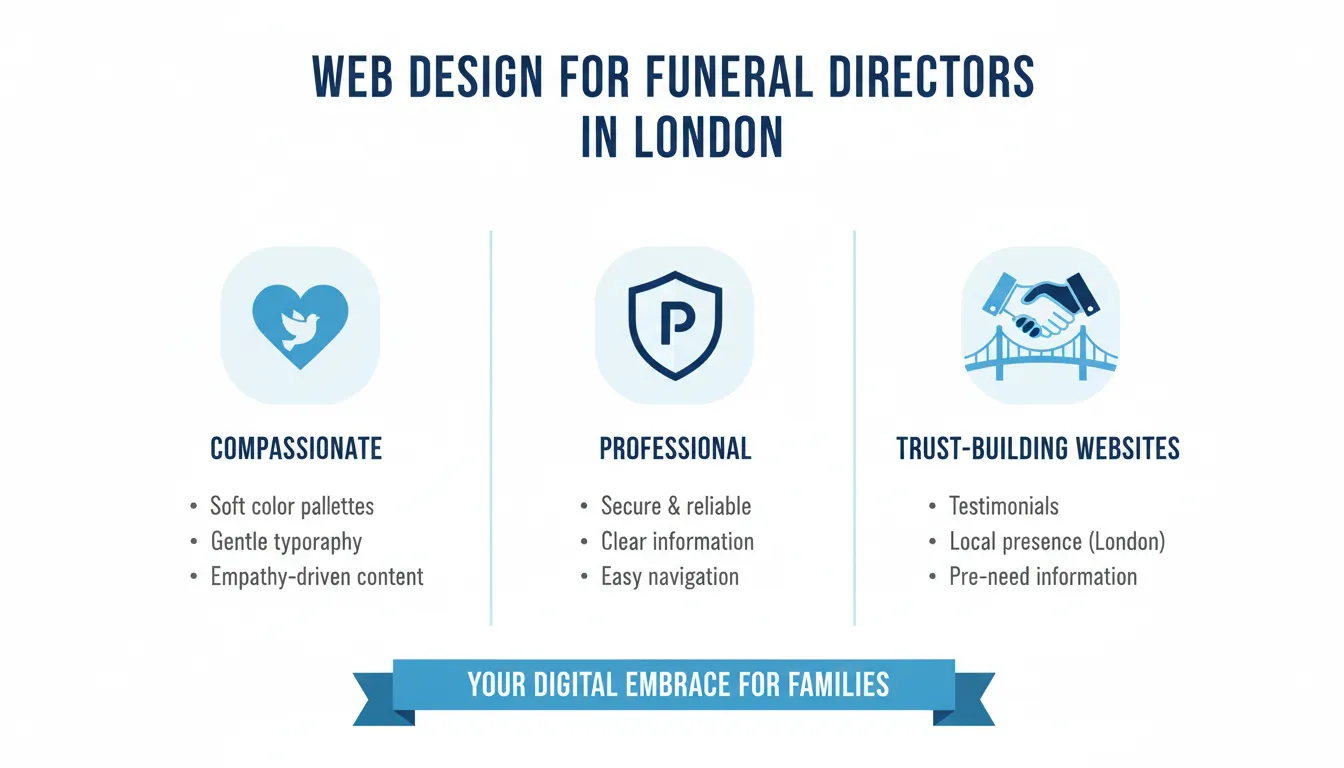
Key Takeaways
Second, it builds trust through transparency. Funeral services carry significant emotional and financial weight. Families want to know about your experience, your team’s credentials, your approach to care, and yes—your pricing. Transparency about costs, which has historically been taboo in the funeral industry, is now expected and appreciated by modern consumers who are making informed decisions during vulnerable moments.
Third, it serves as a booking and information gateway. Your website needs to facilitate enquiries, allow families to request a callback, provide clear contact information, and guide them through the first steps of the funeral planning process. This reduces phone tag, captures leads at all hours, and ensures no enquiry slips through the cracks.
Fourth, it reflects your brand and values. Whether you specialise in natural burials, religious ceremonies, eco-friendly cremations, or bespoke memorial services, your website communicates what makes your funeral home unique. In a competitive London market with established funeral homes and new entrants constantly appearing, differentiation is survival.
Finally, it ensures mobile accessibility. More than 65% of funeral-related searches now happen on mobile devices. If your website isn’t mobile-friendly, you’re turning away families on their phones at their most desperate moment—a technical failure that feels deeply unprofessional.
Step-by-Step Guide: Building Your Funeral Director Website in London
Step 1: Define Your Unique Value Proposition and Service Offering
Before any design begins, you need absolute clarity on what your funeral home offers and why families should choose you. This isn’t about making claims—it’s about articulating genuine difference.
Ask yourself these questions: Are you known for exceptional attention to detail? Do you specialise in specific types of ceremonies—religious, secular, cultural-specific, natural burial, green funeral, or pet memorials? Do you offer pre-planning services, third-generation family relationships, or unique personalisation? Are you eco-conscious? Do you have specialist staff, particular training, or unique facilities?
Many London funeral homes are deeply embedded in their communities and have profound value propositions they’ve never articulated online. One South London funeral home discovered they were the only one in their area offering native-language support in three languages—a significant advantage they weren’t communicating. Another realised their most powerful differentiator was their 24/7 on-call grief counselling through partnerships with local hospices.
Document your service menu comprehensively. Include: traditional burial, cremation, direct cremation, woodland burial, natural burial, memorial services, celebration of life events, repatriation services (for London’s international communities), pre-planning packages, monumental masonry, catering, venue hire for celebrations of life, flowers, and any specialist services.
Create clear descriptions for each. Not industry jargon—human language. “Cremation” becomes “A dignified process where we return your loved one’s remains to a fine ash, which can be scattered, buried, or kept in an urn of your choice.”
This foundational work, typically taking 2-3 hours, becomes the skeleton of your entire website content and ensures everything that follows is authentic and compelling.
Step 2: Create Clear Information Architecture and Content Structure
Your website’s structure must be intuitive for someone in crisis. They shouldn’t have to hunt for information about costs, processes, or how to make first contact.
The essential pages for a funeral home website are:
Homepage – Your welcome space. It should communicate warmth, professionalism, and approachability within seconds. Include your name, location(s), 24/7 contact number prominently, a brief description of your values, and immediate navigation to key pages.
About Us / Our Story – Families want to know who you are. This page should share your history, your team’s qualifications, your commitment to care, and what drives your work. Photos of your actual team members (consenting) build trust dramatically more than stock photos.
Services – A detailed breakdown of everything you offer, with explanations accessible to someone with no funeral industry knowledge. Include pricing where possible, as transparency builds trust.
Pricing & Costs – This is no longer optional. The funeral industry’s reputation for hidden costs is legendary. A clear pricing page—showing coffin options, service fees, cremation costs, burial arrangements—sets you apart. You don’t need to list every single cost; rather, show your typical package prices and explain what’s included.
Pre-Planning – Growing numbers of Londoners are pre-planning funerals. Offer downloadable guides, explanation of pre-planning benefits, and clear pathways to discussion.
Testimonials / Families We’ve Helped – Social proof is powerful. If you have families willing to share their experience (with their permission), this builds credibility.
Contact / Request Callback – Simple, mobile-friendly forms with multiple contact options. Phone number, email, online form, location/directions.
Locations (if multi-site) – Clear information about each location, opening hours, facilities, and specific contact for each.
This structure typically requires 15-20 substantial pages of content, but the investment pays back through reduced phone inquiries and higher quality enquiries (families who self-educate often have clearer needs and move faster through decision-making).
Step 3: Design for Compassion, Not Corporate Sterility
The biggest mistake funeral homes make with web design is trying to look “professional” by becoming cold and corporate. Medical blue, stark white, heavy sans-serif fonts, and minimalist layouts communicate the opposite of compassion.
Effective funeral director web design balances professionalism with warmth. This means:
Colour Psychology: Soft, warm neutrals work best. Warm greys, soft creams, gentle blues, and natural earth tones. These should be your primary palette. Avoid bright reds, aggressive oranges, or harsh blacks. Some funeral homes effectively incorporate a soft gold or bronze accent colour, symbolising remembrance without being jarring.
Typography: Use a primary serif font (like Georgia or Lora) for headings—serifs communicate tradition and trust. Pair with a clean, readable sans-serif (like Open Sans or Raleway) for body text. Ensure font sizes are generous; 16px minimum for body text. Many visitors will be older people with vision changes or people who are distressed and struggling to read.
Imagery: High-quality photography is essential. This should include: photos of your actual staff, your actual facilities, your actual garden of remembrance or crematory facilities (if appropriate). Real images beat stock photography by an enormous margin. You might include tasteful images of flowers, candles, hands held together, natural landscapes—but always in context, never gratuitous.
Layout and Whitespace: Don’t crowd information. Use plenty of whitespace. Break up text with headers, short paragraphs, bullet points. Families in crisis have limited cognitive load—they can’t parse dense paragraphs.
Tone of Voice: Your copy should be warm, clear, and direct. Use “we” and “you” language. Explain processes in plain English. Show empathy without being maudlin. Example: “Choosing a coffin is a personal decision. We offer traditional wooden options, eco-friendly alternatives, and bespoke designs. We’re here to explain the options and help you choose what feels right for your family.”
Step 4: Ensure Mobile Responsiveness and Technical Excellence
This isn’t optional—it’s table stakes. Over 65% of families begin their funeral home search on mobile. If your website isn’t mobile-first, you’ve lost them.
Mobile responsiveness means: The website looks and functions beautifully on phones (320px), tablets (768px), and desktops. Navigation adapts—hamburger menus on mobile, full navigation on desktop. Images scale appropriately. Forms are easy to fill on tiny screens. Click-to-call buttons work reliably. Maps are interactive and usable on mobile.
Technical requirements include: Fast loading (under 3 seconds on average connection), mobile-optimized images (properly compressed), HTTPS security (websites with “https://” show a lock icon, signalling safety—important when discussing sensitive matters), accessibility compliance (WCAG standards—readable for users with visual impairment, navigable by keyboard, compatible with screen readers). Many older people and grieving people rely on accessibility features.
Beyond design, your website should have: Clear tracking for enquiries (so you know which pages drive phone calls), email notification systems (so callback requests don’t disappear), and uptime monitoring (your 24/7 availability means nothing if the site crashes).
Step 5: Implement Local SEO and Discoverability
A beautiful website no one finds is a beautiful failure. You need families in London finding you when they search “funeral director near me,” “cremation London,” “burial costs” and specific location-based searches.
Local SEO for funeral homes involves: Claiming and optimizing your Google Business Profile (Google Maps listing). Include your address, phone number, hours, photos, services offered. Encourage families to leave reviews. Embed a Google Map on your website. Create location-specific pages if you serve multiple areas (e.g., “Funeral Services in Wandsworth,” “Cremation in Hackney”).
Include keywords naturally throughout your content. Not “funeral director London” stuffed awkwardly into every sentence, but as natural language: “We provide cremation services for families across North London,” “Our East London funeral home has served the community for 20 years,” “Pre-planning a burial in West London? We’ll guide you through every step.”
Build local authority and citations by getting listed in funeral director directories, local business listings, and community resources. Get a few local backlinks from respected community sites.
Write service-focused content pages that answer specific questions: “What does a direct cremation involve?” “How much does a traditional funeral cost in London?” “What are green burial options?” These pages target people actively searching with intent to learn and decide.
Tools, Resources, and Website Cost Breakdown
Building a professional funeral director website in London doesn’t require a six-figure budget or six-month timeline. Here’s a realistic breakdown:
| Component | Budget | Notes |
| ———– | ——– | ——- | <br /> |
|---|---|---|---|
| Domain registration | £8-12/year | Your .co.uk or .com web address | |
| Web hosting | £120-300/year | Reliable hosting for UK-based funeral home | |
| Website design & build | £499-2,000+ | Ranges from template-based to custom design | |
| Content writing | £300-800 | Professional copy for 15-20 pages | |
| Professional photography | £200-600 | Photos of your facilities, staff, team | |
| SSL certificate | £0-100/year | Security certificate (often free with hosting) | |
| Email setup | £0-60/year | Professional business email addresses | |
| Maintenance/updates | £50-150/month | Monthly updates, backups, monitoring | |
| SEO optimization | £0 (DIY) or £300-500 (professional) | Initial optimization + ongoing |
Total for Year 1: £1,200-5,000 depending on level of customization
Ongoing annual cost: £700-2,000 for hosting, email, maintenance, and modest SEO
For funeral homes looking for rapid deployment, many specialist providers offer pre-built funeral home website packages starting at £499, live within 7 days. These provide: Pre-designed, compassion-focused templates; pre-written content you can customize; mobile-responsive design; contact forms and callback booking; integration with Google Maps; basic SEO optimization; email setup.
Recommended tools and platforms:
Website builders: Wix (funeral-specific templates available), Squarespace (design-focused), WordPress (most customizable, needs more technical knowledge). For funeral homes specifically, dedicated platforms like FuneralTech or Dignity offer funeral-specific features.
Analytics: Google Analytics (free, essential for understanding visitor behaviour), Google Search Console (free, shows how you appear in search results).
Email marketing: Mailchimp (free up to 500 contacts), Klaviyo (more advanced), ConvertKit (if you produce content regularly).
Review management: Google Reviews, Trustpilot, local directories.
Backup & security: Updraft (WordPress plugin), Backblaze (cloud backup).
Pros and Cons of Investing in Professional Funeral Director Web Design
Advantages of Professional Web Design
✅ 24/7 availability – Your website answers questions at 3 AM when families can’t sleep and are researching options.
✅ Trust building – A professional website immediately communicates that you’re established, legitimate, and trustworthy.
✅ Lead capture – Forms and callback systems ensure no enquiry is lost; you capture contact information automatically.
✅ Competitive advantage – Many traditional funeral homes still have poor websites or no web presence; a professional site distinguishes you.
✅ Cost efficiency – Website inquiries typically have lower acquisition cost than other marketing channels; families come to you pre-qualified.
✅ Mobile accessibility – Reaches families searching on phones (65%+ of searches).
✅ Service clarity – Explains complex offerings in accessible language, reducing confusion and support calls.
✅ Local SEO benefit – Improves visibility in Google Maps and local search results, driving local traffic.
✅ Transparency – Pricing clarity builds trust and reduces sticker shock.
✅ Professional credibility – In an industry sometimes perceived as predatory, a transparent, professional web presence rebuilds reputation.
Disadvantages and Considerations
❌ Ongoing maintenance required – Websites need regular updates, content refreshing, security patches.
❌ Not a replacement for human connection – Websites drive inquiry but don’t replace the personal touch in the funeral directing relationship.
❌ Content demands – Creating quality content about funeral services requires time or professional copywriting investment.
❌ Privacy considerations – Hosting information about families (pre-planned funerals, testimonials) requires careful consent and GDPR compliance.
❌ Technology learning curve – Updating your own website requires basic technical knowledge unless you pay for management.
❌ Initial setup time – Even rapid deployment takes 7 days, and gathering photos, writing copy, organizing information







